

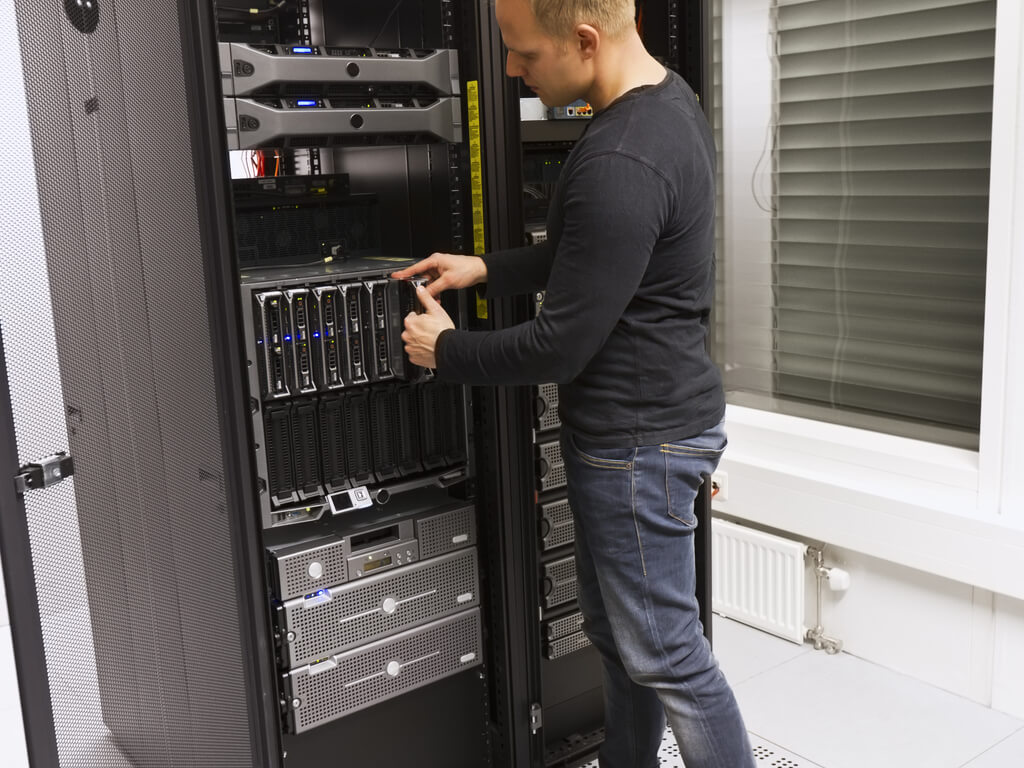
Every server has a lifecycle, and how you handle the end of that lifecycle matters just as much as how you handle the beginning. A poorly executed server decommission can introduce security vulnerabilities, compliance violations, and unnecessary cost. A well-planned one protects your organization, recovers asset value, and keeps your infrastructure clean.
Whether you’re retiring a single rack-mounted unit or working through a full data center decommissioning, this guide walks you through every phase of the server decommissioning process, from pre-planning through final disposition.
What Is Server Decommissioning?
Server decommissioning is the structured process of permanently retiring a server from active use within an IT environment. It encompasses everything from migrating workloads and notifying stakeholders to sanitizing storage media and disposing of or reselling the physical hardware. For a broader overview of the concept, see our primer on what server decommissioning is and three facts you should know.
It’s a routine part of the IT asset lifecycle, but it’s far from trivial. Here’s why it deserves your full attention:
Security risk is real. Servers that are improperly disconnected or partially decommissioned can leave open ports, active credentials, and unmonitored attack surfaces in your network. In an era of increasingly sophisticated threats, an overlooked decommissioned server is a liability. Organizations that neglect this step are far more exposed to data security breaches through improper hardware disposal.
It takes longer than you think. A standard server decommission typically takes three to six weeks from initiation to final disposition, depending on the complexity of the services it supports and the number of stakeholders involved. Rushing the process is how things get missed.
Compliance is non-negotiable. Regulations like GDPR, HIPAA, PCI DSS, and SOX impose specific requirements around data handling and hardware disposition. A documented decommissioning process isn’t just best practice; it’s often a legal obligation. Our guide to ensuring compliance within data center equipment covers the regulatory landscape in detail.
Pre-Decommission Planning
Before you touch anything, lay the groundwork. The majority of decommissioning failures trace back to insufficient planning. In fact, poor preparation is one of the most common mistakes made during a data center decommission.
Verify your backups. Confirm that current, tested backups exist for any data or configurations on the server. Don’t assume your backup schedule has been running correctly. Verify it. Conduct test restores of a few critical files or folders to confirm backup integrity before proceeding.
Submit a formal change request. Follow your organization’s change management process (ITIL or otherwise). Document the scope, timeline, risk assessment, and rollback plan. This creates an audit trail and ensures visibility across teams.
Audit services and dependencies. Review your CMDB or documentation to identify every service, application, database, and scheduled task running on the server. Map upstream and downstream dependencies. This is where undocumented “shadow” services tend to surface, so go beyond what’s on paper. Check running processes, cron jobs, and network connections. Tools that scan for active processes and services can streamline this task considerably.
Identify data classification. Determine what types of data reside on the server and their classification level. This will dictate your data sanitization requirements later in the process.
Notify all stakeholders. Alert every team with a stake in the server’s operation: security, networking, database administration, application owners, infrastructure, and compliance. Include a clear timeline and point of contact for questions. Engaging stakeholders early helps surface dependencies that may not appear in your documentation.
The Decommissioning Process: Step by Step
Phase 1: Isolate and Migrate
Place the server in maintenance mode. This suspends automated workflows, suppresses monitoring alerts, and signals to the broader environment that the server is being taken offline intentionally, not due to an outage.
Migrate active workloads. Move any services, applications, or data that need to persist to their designated new environments, whether that’s another on-premises server, a virtual machine, or a cloud instance. If you’re moving to the cloud as part of a broader initiative, our data center migration services guide covers the logistics. This is also an opportunity to evaluate whether a workload still needs to exist at all. Decommissioning is a natural trigger for infrastructure rationalization.
Validate the migration. Confirm that every migrated service is functioning correctly in its new environment. Verify with end users and application owners. Don’t move on until you have explicit confirmation that all active connections, user sessions, and data transfers have been properly transitioned.
Update DNS and load balancers. If the server being decommissioned was part of a larger network configuration, update DNS records to remove references to the server and adjust load balancers to redistribute traffic. This maintains network integrity and ensures seamless service continuity.
Phase 2: The Waiting Period
Disable the network interface and power down. Once all workloads have been migrated and validated, disconnect the server from the network. Remove its IP allocation and disable its network interface card.
Maintain the server in a powered-down state for two to four weeks. This is your safety net. If a service was missed during the dependency audit, this is when someone will notice. Keep the hardware physically intact and accessible during this window so you can power it back up if needed.
Monitor for complaints or disruptions. Actively check with stakeholders during this period rather than waiting passively. A quick email at the one-week and three-week marks goes a long way toward catching issues before they become emergencies.
Phase 3: Permanent Removal
Once the waiting period passes without incident, proceed with full decommissioning.
Remove from directory services. Delete the server’s object from Active Directory, Entra ID (formerly Azure AD), or whatever directory service your organization uses.
Remove from monitoring and management tools. Take the server out of your monitoring platform (Nagios, Zabbix, Datadog, etc.), configuration management systems (Ansible, Puppet, Chef), and any orchestration tools.
Remove DNS and DHCP entries. Clean up forward and reverse DNS records, and release any DHCP reservations or static assignments.
Uninstall software and release licenses. Before final disposition, ensure that any software applications and licenses tied to the server are properly uninstalled, released, or transferred. This step is essential to prevent unauthorized usage and to remain in compliance with software licensing agreements.
Archive a system image. As a final safety measure, capture a full disk image or snapshot and store it in cold or archival storage. Retention timelines vary by organization, but six months to one year is common. For regulated industries, consult your compliance team on retention requirements.
Update all documentation. Reflect the decommissioning in your CMDB, network diagrams, asset inventory, and any runbooks that referenced the server. Notify all previously contacted stakeholders that the process is complete.
Virtual vs. Physical Server Considerations
For virtual machines: Delete the VM and its associated virtual disks (VMDKs, VHDs, or equivalent). Remove it from your hypervisor inventory and reclaim the allocated resources. If the VM resided on shared storage, confirm the disk files are fully purged, not just orphaned.
For physical servers: The hardware still exists after the logical decommissioning is complete, which means you have an additional responsibility: data sanitization and physical disposition.
Data Sanitization: Getting It Right
This is where many organizations fall short, and the consequences of getting it wrong range from data breaches to regulatory penalties. For a deeper dive, see our full guide on the importance of secure data destruction.
Follow NIST 800-88 Rev. 1 guidelines. The National Institute of Standards and Technology’s publication on media sanitization remains the gold standard. It defines three levels of sanitization (Clear, Purge, and Destroy) and provides guidance on which is appropriate based on the media type and the sensitivity of the data.
For HDDs: Use a certified data erasure tool such as Blancco, BitRaser, or DBAN (Darik’s Boot and Nuke). These solutions overwrite every addressable sector of the drive and provide a verifiable certificate of erasure. Simply formatting the drive does not meet any recognized sanitization standard, because the data remains recoverable. Physical destruction (degaussing or shredding) is also effective but eliminates resale value. Our step-by-step resource on how to wipe a hard drive covers the process in detail.
For SSDs and NVMe drives: Sanitization of flash-based media requires purpose-built approaches due to wear leveling, over-provisioning, and the way flash controllers manage data. Use the drive manufacturer’s Secure Erase or Cryptographic Erase command, or a third-party tool validated for flash media. NIST 800-88 Rev. 1 specifically addresses these nuances. Shredding is always an option for drives containing highly sensitive data, but it’s no longer the only reliable method for flash storage.
Verify the wipe. After completing the initial data sanitization, use verification tools to scan each drive and confirm that no data remnants remain. This verification step provides an additional layer of security and is often required for regulatory compliance.
Document everything. Maintain a chain-of-custody log and retain certificates of data destruction. These records are essential for compliance audits. For a complete walkthrough, see our guide on securely erasing data before selling IT equipment.
Disposition: Recycle, Resell, or Return
Once data has been securely sanitized, you have three primary paths for the hardware.
Resell through an ITAD vendor. If your servers are less than five to seven years old, they likely still hold meaningful resale value. Working with a certified IT Asset Disposition (ITAD) vendor lets you recover a portion of your original investment while ensuring the hardware is handled responsibly. Look for vendors with R2 (Responsible Recycling) or e-Stewards certification, which verify adherence to environmental and data security standards. Not sure where to start? Our guide on choosing the right ITAD company breaks down what to look for.
Recycle responsibly. For hardware that’s reached the end of its useful life, electronics recycling is the appropriate path. Always use a certified recycler. R2 or e-Stewards certification ensures the equipment won’t end up in a landfill or be exported irresponsibly. Our deep dive into server recycling options can help you evaluate what makes sense for your situation.
Return leased equipment. If the servers were leased, coordinate with your leasing company on return logistics. Ensure data sanitization is completed and documented before any hardware leaves your facility, regardless of what the lessor’s process entails.
Recover value from components. Even if a server as a whole has limited resale value, individual components often do. You can sell used servers, hard drives, SSDs, memory, and processors separately to maximize returns. Our overview of the best places to sell used IT equipment covers your options.
Building a Repeatable Process
Server decommissioning shouldn’t be treated as a one-off project. The best-run IT organizations build a repeatable, documented process that improves over time.
Collect feedback after each decommissioning project. Gather input from every team involved: IT operations, security, compliance, and end users. Ask what went smoothly, what caused friction, and where communication broke down.
Perform regular audits. Periodically review your decommissioning process against both internal policies and external standards like ISO/IEC 27001, GDPR, and HIPAA to identify gaps or areas for improvement.
Update your checklist based on lessons learned. Incorporate the insights from each project back into your standard operating procedures. What starts as a checklist becomes institutional knowledge. If you’re working through a larger project, our downloadable data center decommissioning checklist provides a comprehensive starting template.
Frequently Asked Questions
What are the first steps before decommissioning a server? Start by verifying backups, submitting a formal change request, auditing all services and dependencies running on the server, classifying the data it holds, and notifying all relevant stakeholders with a clear timeline.
How long does server decommissioning take? A standard decommission typically takes three to six weeks, including a two-to-four-week waiting period after the server is powered down to catch any missed dependencies. Complex environments with extensive integrations may take longer.
What’s the difference between formatting a drive and secure data wiping? Formatting removes the file system index but leaves the underlying data intact and recoverable. Secure wiping (following NIST 800-88 guidelines) overwrites every addressable sector of the drive, rendering data unrecoverable. Only the latter meets compliance standards.
Should I shred SSDs, or is software-based erasure sufficient? Modern software-based sanitization methods, including Cryptographic Erase and manufacturer Secure Erase commands, are validated for flash media under NIST 800-88 Rev. 1. Shredding is still an option for highly sensitive data, but is no longer the only reliable approach.
What should I do if someone reports an issue after the server is powered down? This is exactly why the waiting period exists. Keep the hardware accessible for two to four weeks post-shutdown so you can power it back up if needed. After the waiting period, your archived system image serves as a fallback.
How do I decide whether to recycle or resell decommissioned servers? If the equipment is less than five to seven years old and from a major manufacturer, it likely holds resale value. An ITAD vendor can assess your hardware and provide a fair market quote. Equipment beyond its useful life should go to a certified e-waste recycler.
What certifications should I look for in an ITAD or recycling vendor? Look for R2 (Responsible Recycling) or e-Stewards certification. These third-party certifications verify that the vendor adheres to rigorous environmental, data security, and health and safety standards.

 English
  German
  Spanish
  French
  Swedish
  Dutch
Dutch