

Too often, data center humidity control gets treated like a secondary dial: something you set once and forget.
Temperature is the big number that gets all the attention, but humidity is just as critical to manage and doing so is more complex.
The temperature can read 71°F, but that isn’t the whole story. The relative humidity (RH) is the other big number to keep an eye on. It’s the amount of water vapor present in the air compared to the maximum amount the air could hold at that temperature, expressed as a percentage, and you can’t just monitor it room-wide.
Fast Facts: What You Need to Know About Managing Data Center Humidity
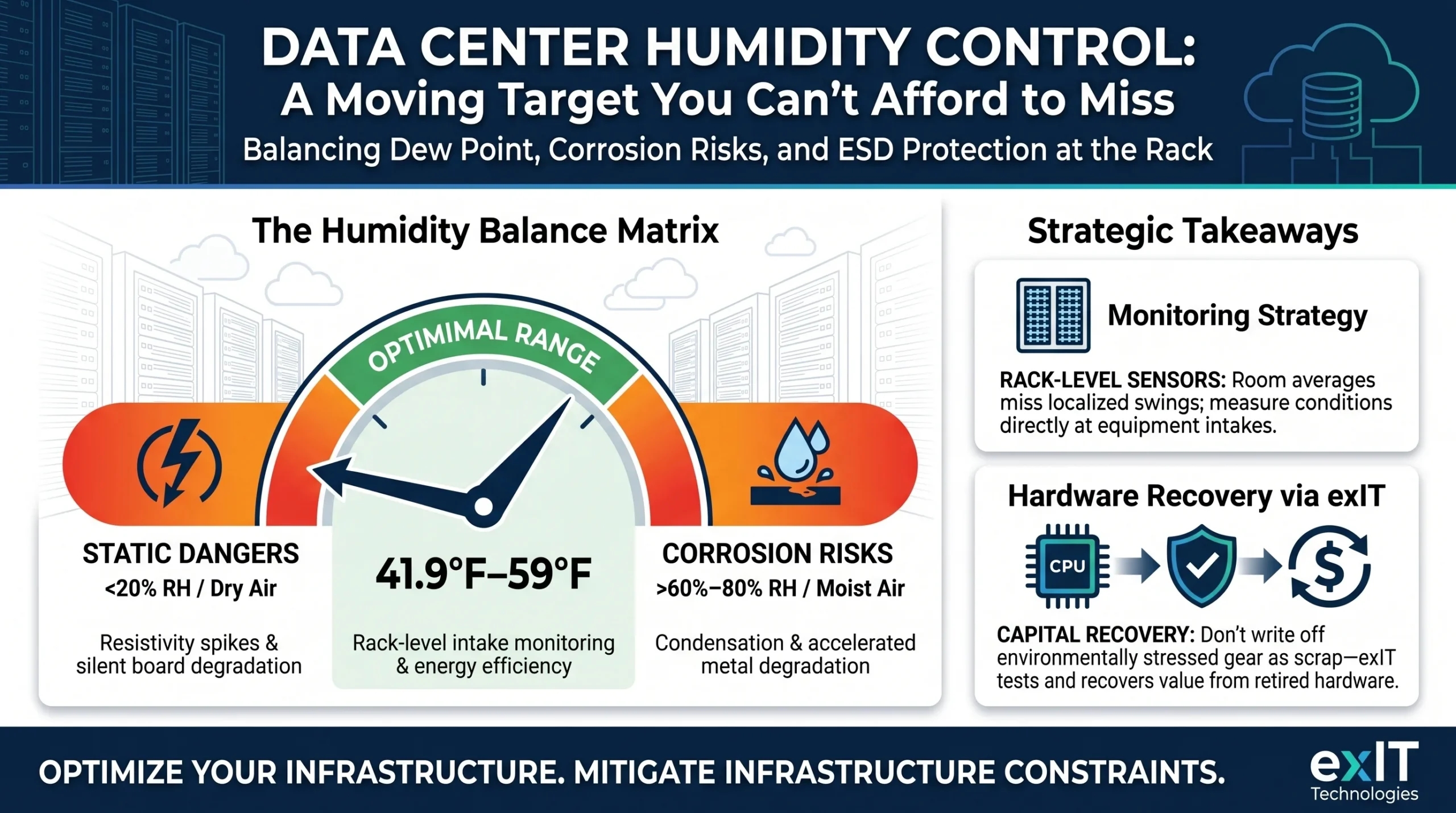
- ASHRAE TC9.9 recommends a dew point range of roughly 41.9°F-59°F (5.5°C-15°C) for A1 and A2 equipment classes
- ASRAE TC9.9 recommends a humidity band of 20%-80%. If your facility runs near chlorine or hydrogen sulfide sources, keep RH under 60%.
- Low humidity builds static charge in dry air, which can damage equipment.
- Room-average sensors miss localized swings, so ASHRAE’s guidance calls for sensors at the rack intake.
- Humidity control changes will show up on your power bill, which makes dew point control more efficient than chasing a flat RH percentage.
Relative Humidity Is A Moving Target, But Dew Point Isn’t
Relative humidity measures how much water vapor is in the air compared to the maximum the air can hold at that temperature. Raise the temperature a few degrees and RH drops automatically. Cool the air back down and RH climbs again, right up until it hits the dew point and water starts condensing out.
That relationship defines your data center humidity strategy. A room can read 45% RH at 72°F and 60% RH at 65°F with the exact same amount of water vapor in the air. Dew point stays constant through that swing. This is why ASHRAE frames its guidance around a dew point range, instead of a percentage.
Bad Humidity Managed Leads To Corrosion And Static Discharge
High humidity and low humidity come with very different risks.
On the high side, moisture condenses on cold surfaces, cooling coils, and metal chassis. Then corrosion follows.
Research on relative humidity and metal corrosion shows the effect stays mostly flat between 50%-70% RH as long as chlorine isn’t present, then accelerates sharply above 80% regardless of gas mixture. Facilities near industrial or coastal air, where chlorine and hydrogen sulfide show up more often should test corrosion coupons at least twice a year. If the corrosion is present, make sure to hold RH under 60% (perhaps even lower, depending on how bad the corrosion is).
On the low side, dry air increases resistivity, and resistivity is what lets static charge build up on personnel and equipment. A discharge into a populated circuit board can corrupt an in-flight write or degrade a component without tripping a single monitored threshold.
ASHRAE-cited research shows ESD control footwear meaningfully cuts charge accumulation on personnel regardless of flooring type, and a properly grounded conductive floor helps further regardless of footwear.
Your Room-Level Sensor Can’t See What’s Happening At the Rack
A single hygrometer near the air handler tells you what the return air looks like, but that’s not a complete picture of your environment.
Facility-level guidance calls for sensor density that most rooms don’t actually have:
- One sensor point for every 3-9 meters of aisle, or roughly every fourth rack position, centered and placed midway along the aisle.
- Additional readings at the geometric center of the air intake on the top, middle, and bottom equipment in the rack, since stratification means the top of a rack and the bottom rarely see identical conditions.
- HVAC-side logging of supply and return air temperature and humidity at every unit, alongside simple on/off and fan status, so a drifting unit shows up early.
Sensors also degrade. Calibrate them at least semi-annually, and treat a suspiciously stable reading as a maintenance flag.
How To Set Humidity Alarms In A Data Center
A humidity alarm set at the edges of the allowable range only triggers after equipment is already at risk. A tiered system catches the drift earlier.
| Niveau | Trigger | Objectif |
| Early warning | RH drops below roughly 40% or rises above roughly 60% | Flags drift while there’s still time to adjust before conditions become critical |
| Critical alert | RH falls under roughly 30% or exceeds roughly 70% | Signals an immediate equipment risk requiring action, not just monitoring |
Set both tiers relative to your facility’s actual target range and route them into the same DCIM or BMS dashboard your team already watches.
Managing Humidity Requires A Holistic Approach
Humidification and dehumidification both cost energy, and that cost shows up directly in PUE. Steam humidification gives tight, fast control but draws real power if it’s not integrated well with the rest of the HVAC sequence.
Ultrasonic humidification uses less energy for the same moisture output but needs clean, well-treated water to avoid scaling. Adiabatic or evaporative approaches borrow from free-cooling principles and work best in cooler, drier climates. Desiccant wheels and reheat coils handle the dehumidification side in humid climates without fighting the temperature setpoint.
None of these methods is universally the right pick. The correct mix depends on your climate, your load profile, and how tightly your equipment class actually needs to be controlled. This is exactly why dew point tracking at the rack matters more than a single RH number on a lobby display.
If hardware in your environment has already taken a hit from a humidity swing, it’s worth knowing what that gear is still worth before it goes in a bin. exIT tests and values decommissioned equipment individually rather than writing it off as scrap.

 French
  English
  German
  Spanish
  Swedish
  Dutch
Dutch